What you'll learn
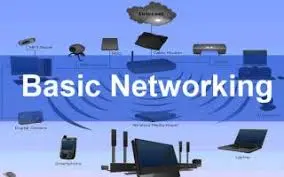
A basic computer hardware syllabus covers the fundamentals of PC components, assembly, operating system installation, and troubleshooting. Core topics include identifying hardware (CPU, RAM, HDD/SSD, Motherboard), configuring BIOS, managing peripherals, and basic networking, designed to prepare learners for PC maintenance, assembly, and repair tasks
Show More
Course Syllabus
Introduction to Computer Components
- Overview of PC Architecture: Block diagram, motherboard, chipset, and processors (Intel/AMD).
- Input/Output Devices: Keyboards, mice, scanners, monitors (LCD/LED), printers.
- Memory Units: Primary memory (RAM - DDR3/DDR4/DDR5) and Secondary storage (HDD, SSD, NVMe).
- Internal Components: Power Supply Unit (SMPS), CPU sockets, expansion slots (PCIe, AGP), and cables (SATA, IDE).
2. PC Assembly and Disassembly
- Safety Precautions: Electrostatic Discharge (ESD) safety, proper handling of components.
- Assembly Steps: Installing motherboard, processor, heat sink, RAM, drives, and PSU.
- Cabling: Connecting front panel, USB, and power connectors.
- Laptop Hardware: Overview of portable PC components and disassembly.
3. BIOS and Operating System Installation
- BIOS/UEFI Configuration: CMOS settings, boot order, date/time, and security settings.
- OS Installation: Installing Windows (10/11) and Linux.
- Driver Management: Installing and updating device drivers.
4. Troubleshooting and Maintenance
- Preventive Maintenance: Cleaning components, applying thermal paste, and cable management.
- Diagnostic Tools: Using multimeters, POST cards, and diagnostic software.
- Common Faults: Fixing No Display, Boot Errors, Blue Screen of Death (BSOD), and slow performance.
- Data Recovery: Backing up and restoring data from failing drives.
 Bestseller